


An HTTP 302 status code helps website owners temporarily hide pages that are not meant to be seen by users and indexed by search engines. For example, these could be pages under maintenance or A/B tests.
A 302 redirect is not a problem by itself, as you typically set them on purpose and remove them after some time. Still, if a 302 redirect appears where it is not meant to be, this can cause a problem.
In today’s guide, we’ll take a closer look at what 302 redirects actually are, why people use them, how they are different from 301 redirects, how to handle 302 errors, and shed some light on 302 redirect cases for Magento websites.
What is an HTTP 302 status code?
An HTTP 302 status code is a type of redirect response from a web server, indicating that the requested page has been temporarily moved to a different URL. This means that the page is available at another location, but the move is temporary, and the client (a browser or a search engine) should continue to use the original URL for future requests.
302 is a temporary redirect. A 302 status code tells the browser or search engine that the redirection is temporary, meaning the original URL should still be used for future requests.
302 redirect doesn’t pass link juice. Unlike a 301 redirect, which is permanent and passes a certain amount of link equity, a 302 redirect does not pass link juice (ranking power) to the new URL because the original page is expected to return in the future.
Example of HTTP 302 Redirect
When a user requests a page that has been temporarily moved, the server responds with the 302 status code and includes the new URL in the "Location" header. For instance:
HTTP/1.1 302 Found

Location: https://www.example.com/new-page
In this case, the user is directed to "new-page" temporarily, but the browser is expected to continue using the original page URL for future requests.
301 Redirect vs 302 Redirect
The key difference between 301 and 302 redirects is that 301 is a permanent redirect and is used when a page moves to a new URL forever, while 302 redirect is temporary and signals that the page will return to the old address after some time.
A 301 redirect is a real savior for SEO. It passes the link juice from one page to another, thus, you don’t lose traffic and rankings. A 302 redirect doesn’t pass any link juice and may be harmful for SEO if used incorrectly.
When site visitors are redirected from one page to another, they don’t care which redirect is used. Search engines are the ones who care about the redirect type. They handle 301 and 302 redirects differently: the first one is permanent, and the second is temporary.
But let’s dig deeper.
Situation 1. You have a page A that is outdated, and you create a page B with relevant information instead. In this case, B is an updated version of A and generally substitutes for it. This means you should tell Google to serve page B instead of page A permanently, i.e., use a 301 redirect.
So here we have: Page A (no longer needed), Page B (currently relevant), and the relations between them can be characterized as substitution.
Situation 2. Some pages of your site are visible to signed-in users only. If a guest tries to access them, they are redirected to a login page. In this case, there is no need to use a 301 HTTP code, as there is neither out-of-date nor up-to-date content.
Are 302 Redirects “Bad” or “Useless”?
Sometimes, 302 redirects usage is fully justified, so why do people continue to ask how to replace all the possible 302 redirects with 301 ones?
One reason is that different SEO tools flag 302s as errors. On the one hand, that’s OK, as most 302 redirects used on the sites are meant to be 301, so tools just point out these pages and show what to fix. But on the other hand, there is a small percentage of those redirects that should be kept 302 and not treated as SEO issues.
The problem is that each tool generalizes redirect usage: a 302 HTTP response is treated as bad, and 301 as good. But there is no black and white either in life or in SEO, and a 302 status code is not a “red flag” by itself.
When Can You Use the 302 Status Code?
302 status code is temporary, so it is used when you want to temporarily show one age instead of the original one. Common use cases for 302 redirect are typically as follows:
The original page is undergoing maintenance, so you redirect customers to a temporary page. Once the service is done, you remove the redirect and keep serving the original page.
You’re A/B testing a different version of the page with traffic split, so a part of the visitors land on a test version. As you’re only testing the content and user behavior, you don’t need Google to index and rank the test version. If the test version shows better results, you simply move its content to the original URL without any redirects at all and reindex the page.
You’re promoting a short-term content that is not meant to replace the original page forever. Here, you apply 302 status code to send users to a promo page and return the original one after the campaign is over.
You want to show seasonal content like campaigns for Christmas, New Year, St. Valentine’s Day, Easter, etc. 302 redirect will send visitors to the themed page while the season is happening. Once the holidays are over, you remove the 302 redirect and keep serving the standard version.
Why does error 302 occur?
HTTP 302 status code is not an error by itself. If applied correctly, it is a powerful tool for website improvements and seasonal promotions. Still, there are situations when pages return 302 status code that was not meant to be there. These cases may cause you problems and require investigation.
1) A redirect occurs instead of the expected page
302 status code may appear instead of the 200 OK. This happens typically because of the incorrect 302 redirect usage, when it is applied where it is not supposed to be. Cases that cause a return of 302 instead of 200 are usually the following:
Incorrect .htaccess / nginx redirect rules
CMS plugins conflicting
HTTPS/WWW misconfiguration
Permission issues (redirect to login)
2) An infinite redirect loop happens (“Too many redirects”)
If two pages redirect to one another back and forth, or a page redirects to itself, or there are 4–5 pages that eventually redirect to the initial page, this causes a redirect loop. Browsers get stuck in an endless loop and report the “Too many redirects” message instead of the page.
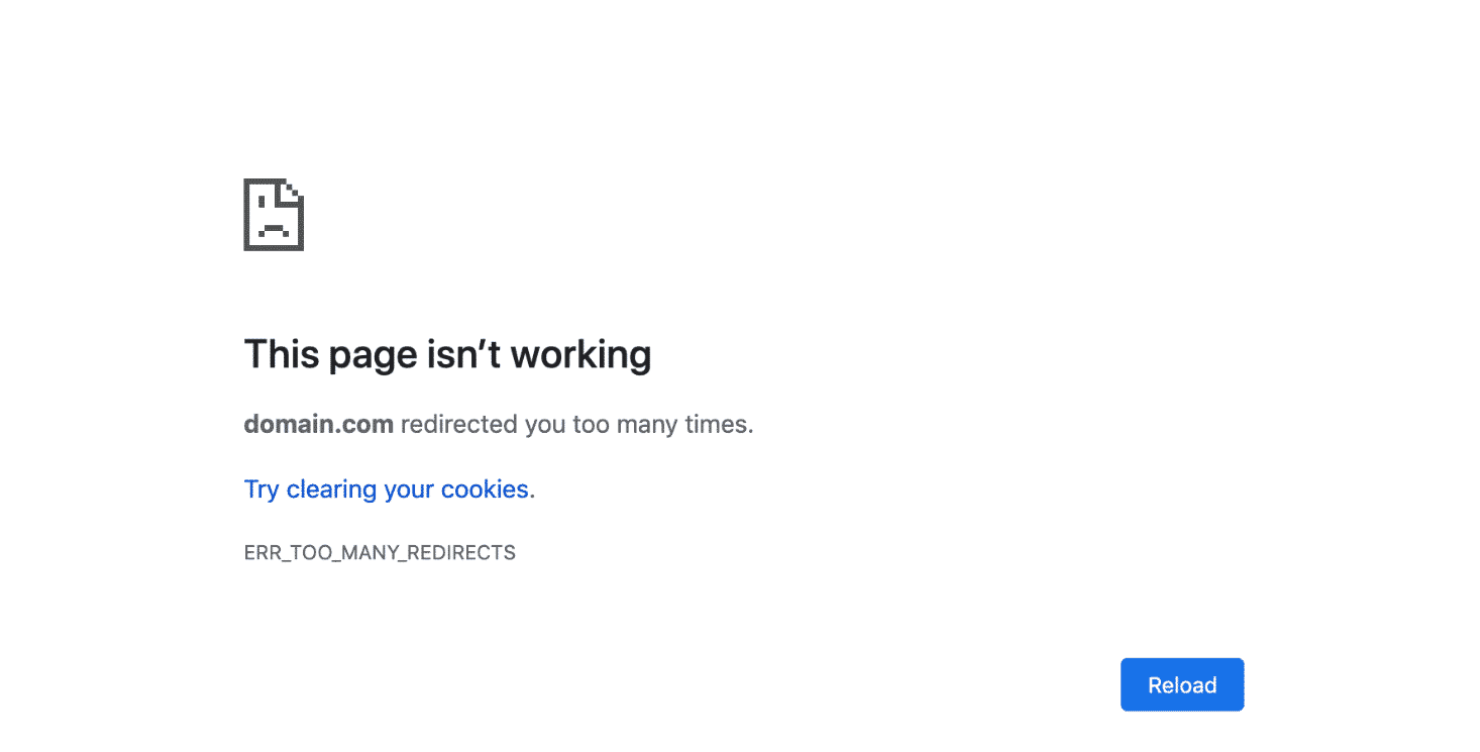
Note: a redirect loop can be caused not only by 302s, but by 301s and other types of redirects as well. Just be careful when setting them up.
Examples:
A → 302 → B
B → 302 → A
or:
HTTP ↔ HTTPS loop
- /page → /page/ → /page
3) The server redirects to the wrong URL
If you mistype or misclick the target URL and set 302 redirect to the wrong address, it will result in showing the wrong page or even a 404 not found.
Examples:
/product → 302 → /nonexistent-url
API route → 302 → /login (bad auth logic)
4) A 302 status code is used where a 301 should be used
When SEO professionals (em, SEO noobs in this case) apply 302 redirects instead of 301s, this will most likely cost your website a fortune. Lost rankings, poor visibility, loss of traffic, clients, profits… All because 302 redirect doesn’t rank by Google and doesn’t pass link equity.
If you apply 302 where 301 was meant to be, search engines will keep ranking the old page and treat the new page as a temporary version that is not indexed and ranked. The original page is not updated anymore or may even have its content deleted, while all the improvements are made to the new page (which is not seen by Google at all due to 302). As you may have guessed, this will result in SEO issues such as lost organic traffic, visibility, positions, and so on.
5) An API unexpectedly receives a 302 instead of JSON
Sometimes an API doesn’t give the data you expect. Instead of returning the information in JSON, it suddenly sends you somewhere else, almost like being redirected to the wrong room. When this happens, the API ends up returning a 302 redirect instead of the actual response you were waiting for.
Meant to:
200

Content-Type: application/json
Gets:
302

Location: /login
Causes:
Missing auth/token
The backend uses redirect instead of 401/403
The load balancer/CDN adds unwanted redirects
How to fix the HTTP 302 error?
Let’s move to how to fix 302 status code if it happened by mistake and caused you some tech or SEO problems.
1. Confirm what’s actually happening
Before fixing anything, you need to know what’s really going on. A 302 can happen for many different reasons, so it’s important to see where the website is actually sending you. This step helps you understand the redirect path instead of guessing.
First, verify the redirect chain.
In the browser:
Open DevTools → Network tab
Reload the page
Click the request → check Status (302) and the Location header
From the terminal:
curl -I https://example.com
Look for:
HTTP/1.1 302 Found

Location: https://example.com/somewhere
If things are looping:
curl -I -L https://example.com
This will follow redirects and show you the whole chain.
2. Fix misconfigured redirect rules
Sometimes websites send people to the wrong place because of a simple mistake in the redirect settings. A single wrong rule can create unexpected jumps between pages. Here you check and correct the rules that decide where visitors should be redirected.
If the 302 is coming from your web server/CDN:
Apache (.htaccess)
Look for Redirect or RewriteRule lines:
Redirect 302 / /new-path

# or

RewriteRule ^old$ /new [R=302,L]
Fixes:
If the redirect is not needed → remove or comment it out
If the redirect should be permanent → change 302 / R=302 → 301:
Redirect 301 / /new-path

RewriteRule ^old$ /new [R=301,L]
Nginx
Look for return 302 or rewrite:
return 302 https://example.com$request_uri;

# or

rewrite ^/old$ /new redirect;  # 302 by default
Fixes:
Remove the rule if you don’t want a redirect
Use 301 for a permanent redirect:
return 301 https://example.com$request_uri;

rewrite ^/old$ /new permanent;
Then reload/restart the server.
3. Fix redirect loops (“Too many redirects”)
A redirect loop happens when a site keeps sending you in circles instead of loading the page. It’s like walking through doors that lead back to each other forever. This step helps you find where the loop starts and fix it, so the page can finally open.
Loops usually happen with things like:
HTTP ↔ HTTPS
www ↔ non-www
trailing slash vs no slash
two systems each redirecting to the other
How to fix:
Map your redirects:
curl -I -L https://your-url and see the sequence.Make sure only one place enforces:
HTTP → HTTPS (either server or CDN, not both fighting each other)
example.com → www.example.com (or vice versa)
Ensure rules are one-way, not:
/page → /page/
/page/ → /page
Fix the one that points back.
4. Fix 302s caused by auth / login (common in APIs)
Sometimes a website or API sends you away because it thinks you’re not logged in. Instead of giving the real data, it keeps redirecting you to a login page. This step focuses on fixing those “wrong redirects” caused by missing or incorrect authentication.
If your API endpoint returns 302 to /login, clients will see it as an “HTTP 302 error”.
Instead of:
302 Found

Location: /login
You usually want:
401 Unauthorized
or
403 Forbidden
Fixes:
In backend code, change “not authenticated → redirect to login” to “not authenticated → return 401/403 JSON error” for API routes.
Separate browser routes and API routes (e.g. /api/* never redirects, only returns JSON).
5. Fix the wrong type of redirect (302 vs 301) for SEO
Not all redirects mean the same thing to search engines. If a permanent move is marked as temporary, Google may not treat your pages correctly. This step helps make sure your redirects reflect your actual intentions.
If the move is permanent (new URL, moved domain, canonical URL), but you’re returning 302, search engines might not pass link equity properly.
Fix:
Change all long-term redirects from 302 → 301.
Make sure your CMS/SEO plugin is set to permanent redirect, not temporary.
6. Check CMS / framework / plugin redirects
Website builders and plugins sometimes create redirects automatically, even when you don’t want them. Two plugins can “fight” each other and cause confusing behavior. This step helps you find and disable the settings or plugins responsible.
If you use WordPress, Laravel, Rails, Next.js, etc.:
Disable redirect/SEO plugins one by one (Yoast, Redirection, etc.) and test.
Clear caches (plugin cache + server cache + CDN cache).
Check app-level redirect logic:
Middleware that redirects unauthenticated users
Locale/geo redirects
A/B testing or “preview mode” redirects
Remove or adjust the logic that triggers a 302 when it shouldn’t.
7. Check CDN / load balancer rules
Services that sit in front of your website (like Cloudflare) can add their own redirects. If their rules clash with your website rules, the result can be unexpected loops or jumps. Here, you make sure these external systems aren’t causing the issue.
Services like Cloudflare, AWS ALB, etc., can add their own 302s:
“Page rules” or “redirect rules” in Cloudflare
Listener rules in a load balancer
Fixes:
Disable or edit rules that redirect that path/host.
Make sure they don’t conflict with your origin server rules.
8. After changes: re-test and clear caches
Even after fixing the problem, old settings may still be stored in caches. To see the real result, you need to clear everything and test again from scratch. This final step confirms that your pages load correctly without extra redirects.
Clear app cache + CDN cache.
Test with:
curl -I https://your-url
curl -I -L https://your-url
Confirm you now get:
200 OK when you want the page
301 for permanent redirects
no loops
What about Magento 302 redirects?
If we move from applying 302 status codes for pages under maintenance, A/B tests, and seasonal promotions, and look at Magento-specific 302 applications, the most widespread examples of mass 302 usage in Magento are:
Add to compare links
Add to wishlist links
Geolocation and currency switch links
Some Magento store owners try to figure out how to replace those 302 redirects with 301 ones. But do they really need to do it?
Remember our Situation 1?
Situation 1. You have a page A that is outdated, and you create a page B with relevant information instead. In this case, B is an updated version of A and generally substitutes for it. This means you should tell Google to serve page B instead of page A permanently, i.e., use a 301 redirect.
Here we have an out-of-date page and an up-to-date page that substitutes the former. Do we have the same pattern with wishlist links, for example? No. We don’t need Google to treat the first page as an updated version of another one.
But what about the link juice? A page gets it provided other sites link to it. We don’t think some people specifically copy wishlist (or compare, etc.) URLs and use them to link to the site (anyway, stop, if you do). So what is the SEO purpose of 301 redirects for such pages? There isn’t one.
Solution for 302 redirects in compare, wishlist, and geolocation/currency switch links in Magento
Keep the 302 redirects
Disallow indexing of these URLs in your robots.txt file (e.g. Disallow:/catalog/product_compare/)
Relax and think about more serious issues that can be solved
Summing It Up
HTTP 302 status code is not something to be demonized at all, as it has clear use cases and helps site owners and SEOs improve pages and fix technical issues without losing their potential clients who visit pages during maintenance. Unlike permanent 301s, 302s are temporary and don’t pass link juice, so it is better not to use them for permanent page migrations.
As for Magento stores, 302 redirects are really popular to use for links like add to wishlist or switch currency, and, despite not being really temporary in these cases, they do no harm at all and are a more preferable option than 301s.
The idea? A medicine can become a poison if overused, and a poison can be a cure if used wisely. Use 302 status codes (any HTTP response codes, actually) wisely, and they will never harm your SEO and will definitely help you improve your pages to eventually get more users and revenue.
Frequently Asked Questions
No, 302 redirects are not inherently bad for SEO, but they are often misused. A 302 redirect is a temporary redirect, which means search engines understand that the page may be back at its original URL in the future. When a 302 is used, search engines typically do not transfer link equity (or "link juice") from the old page to the new one, as they treat it as a temporary change. If you intend for the change to be permanent, using a 302 redirect instead of a 301 can hurt your SEO efforts because you might not get the full benefit of backlinks and authority that would otherwise be passed along with a permanent redirect.
301 Redirect (Permanent Redirect): A 301 redirect should be used when you’re permanently moving a page or website to a new location. Common scenarios for using a 301 redirect include:
Moving to a new domain (e.g., oldsite.com → newsite.com).
Changing URLs or structure on the same site (e.g., example.com/product1 → example.com/product-1).
Redirecting outdated or irrelevant pages to newer, more relevant content.
A 301 redirect tells search engines that the page has permanently moved, and they will transfer the page's ranking power (link equity) to the new URL.
302 Redirect (Temporary Redirect): A 302 redirect is used when you are temporarily redirecting visitors to another URL but plan to return the original page to its previous location. Appropriate use cases for 302 redirects include:
Redirecting visitors to a temporary page, such as during site maintenance or a limited-time promotion.
Testing new page versions, like an A/B test, where the change is temporary.
Redirecting users during a seasonal sale or event and bringing the original page back once the event is over.
Yes, a 301 redirect is permanent, meaning that it signals to search engines that the page has been moved permanently to a new URL. Once a 301 redirect is implemented, search engines will stop indexing the original page and instead index the new page. This redirect is the preferred choice when a page or site is being permanently moved, as it helps preserve the SEO value of the original page by transferring the link equity (or ranking power) to the new URL.
There are several ways to implement 301 and 302 redirects, depending on your web server or platform. Below are common methods:
For Apache Servers (using .htaccess file):
301 Redirect (Permanent):
Redirect 301 /old-page https://www.example.com/new-page
302 Redirect (Temporary):
Redirect 302 /old-page https://www.example.com/new-page
These lines of code can be placed in the .htaccess file located in the root directory of your website.
For Nginx Servers:
301 Redirect (Permanent):
server {
    location /old-page {
        return 301 https://www.example.com/new-page;
    }
}
302 Redirect (Temporary):
server {
    location /old-page {
        return 302 https://www.example.com/new-page;
    }
}
For WordPress (Using Plugins): You can use plugins like Redirection or Yoast SEO to implement redirects without needing to touch any code. These plugins allow you to manage both 301 and 302 redirects easily from the WordPress dashboard.
For HTML Meta Tags (Not Recommended for SEO Purposes):
301 Redirect:
<meta http-equiv="refresh" content="0;
url=https://www.example.com/new-page" />
302 Redirect:
<meta http-equiv="refresh" content="0;
url=https://www.example.com/new-page" />
However, server-side redirects are generally more effective for SEO than using meta-refresh tags.